Five minutes of scrolling. Then you’ll know if it’s worth the trial.
Four scenes, one per role. Recognise the one that sounds like your week, then click through for the full story.
No sign-up required. Just scroll.
It’s Monday morning. You need to assign three territories.
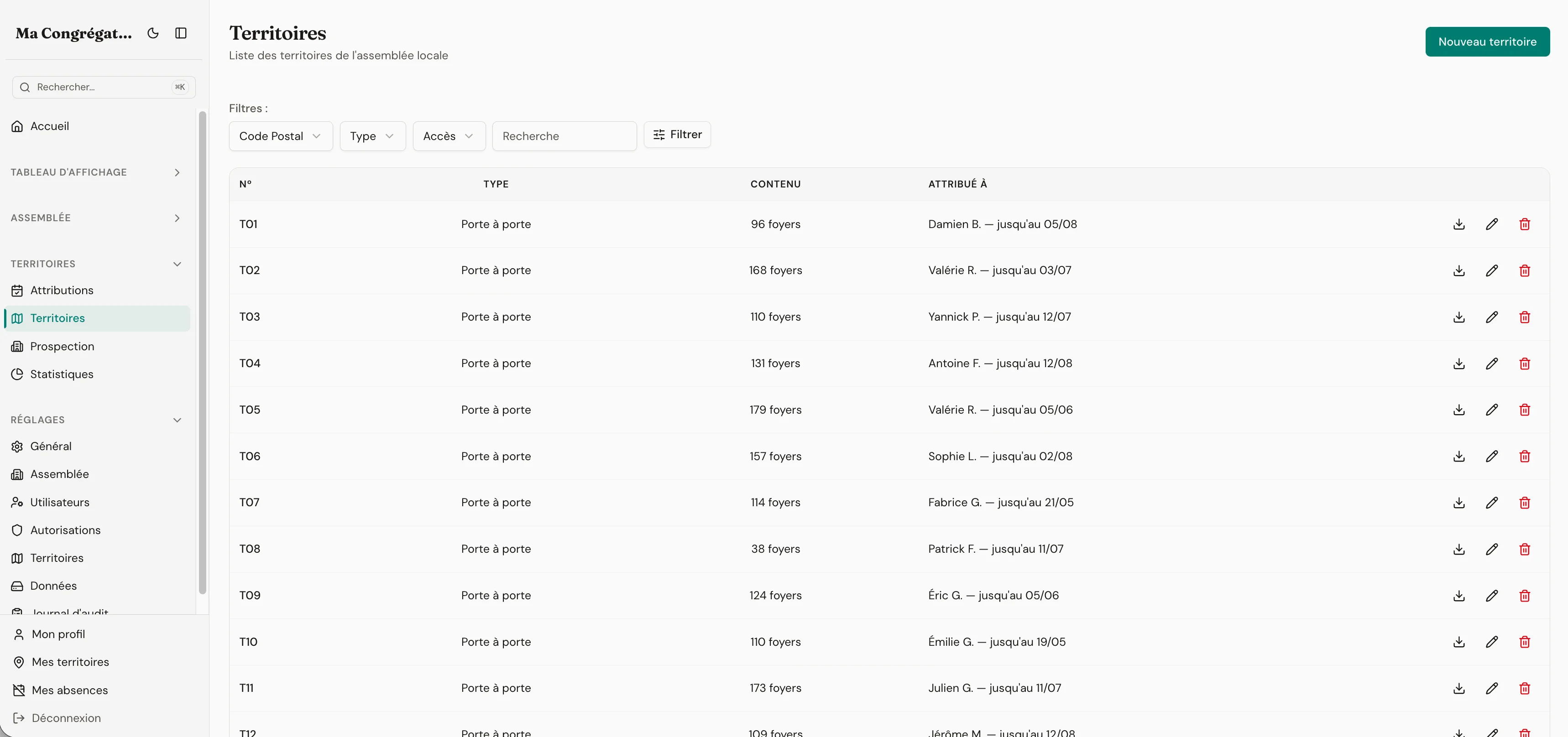
Open Unitae and go to ‘Assign a territory’. Only available territories are shown. A publisher wants one near their home? Filter by postal code. Another wants a specific street? Search by address. You select the territory, pick the publisher, and generate a PDF card with the embedded map. Done. Ninety seconds.
No spreadsheet. No WhatsApp message asking who had which territory last year. No digging through paper records.
- Color-coded assignment status — overdue territories are impossible to miss
- PDF territory cards generated in one click, map included
- S-13 report compiled automatically — no manual tallying
Reports are due. Instead of three days chasing, you spend three minutes.
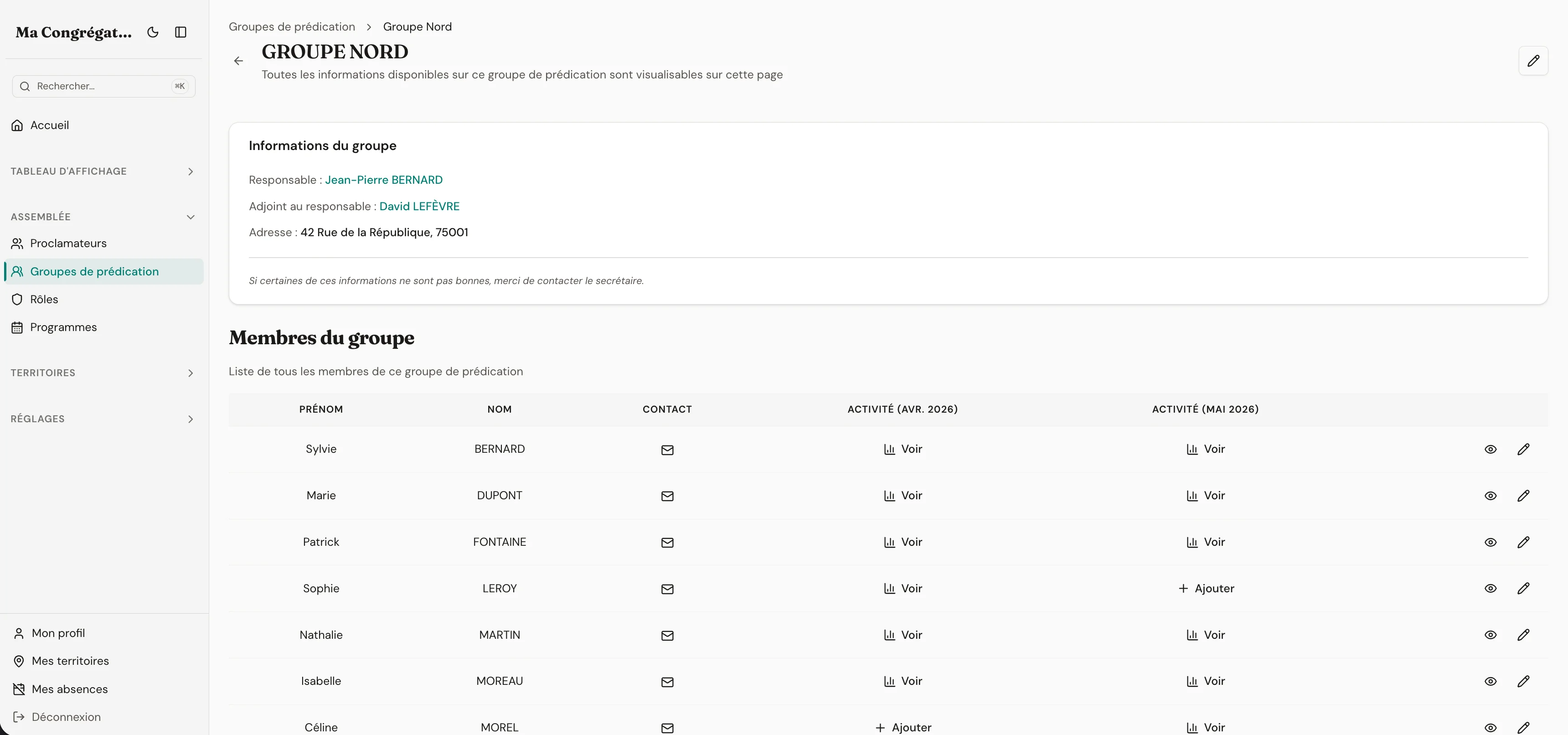
It’s the last week of the month. Each group overseer opens their group view: they see last month’s activity for their members and fill in this month’s reports for each one. The relationship with the publishers is preserved — the overseer is the one who knows their members.
The secretary has a full congregation view: all reports, all statistics, ready to submit. The summary is generated in one click — hours, Bible studies, pioneer service, broken down by group. No calculator. No copy-paste.
- Each group overseer submits reports for their own members
- Full congregation view for the secretary with all reports and statistics
- One-click annual Excel summary, ready to submit
Wednesday’s meeting is five days away. Parts still need assigning.
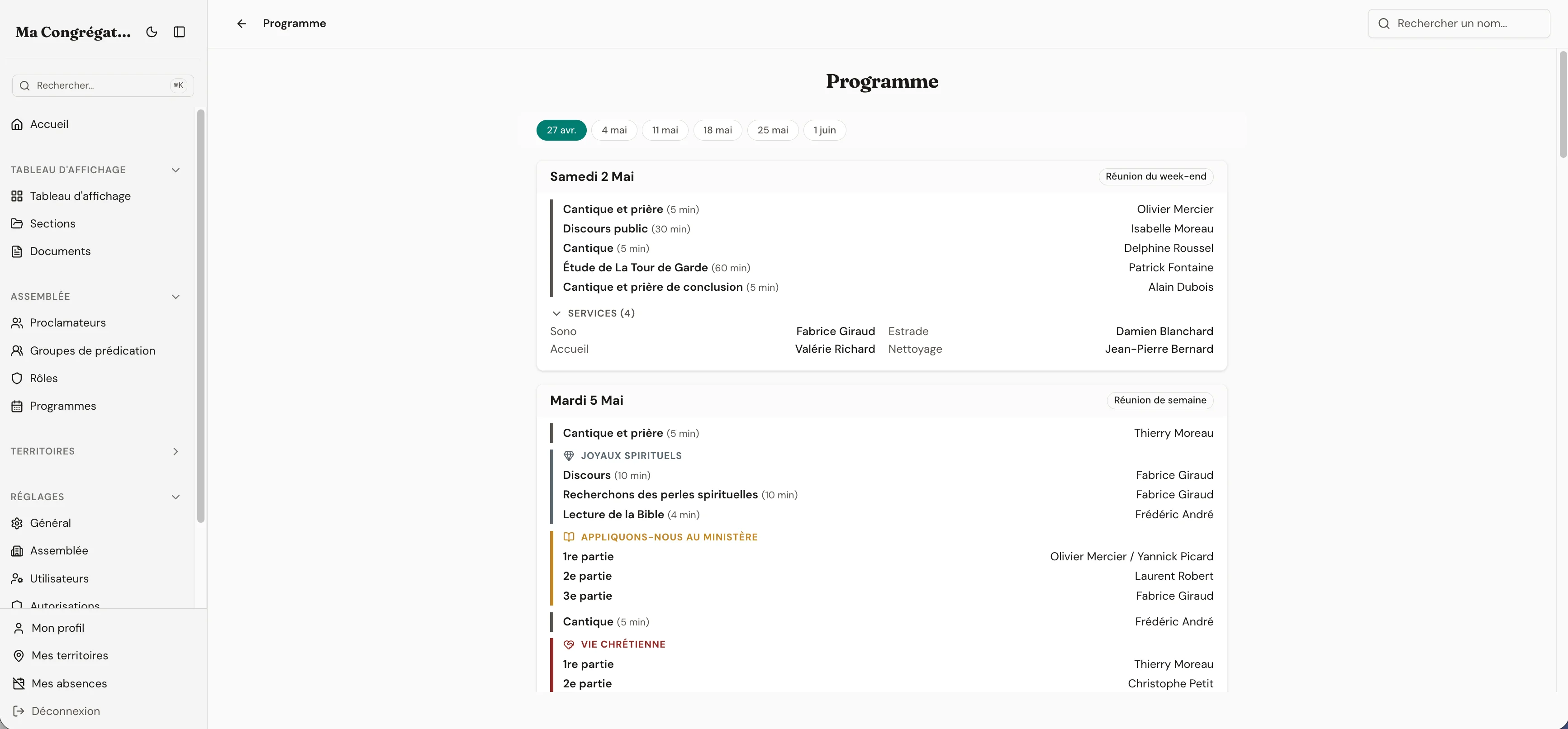
You open the schedule. The programme template is already there. You click a part to assign someone — and this is where Unitae saves time: the moment you select a brother, all the information you need appears: their rotation history, whether they’re available on that date, and whether they already have an assignment at that event.
You make the decision, not the software. But instead of navigating between multiple pages and schedules to check each piece of information, everything is gathered in one place at the moment of decision. The information board updates automatically with an interactive, responsive schedule view — always up to date. You can also export a clean PDF for the physical board at the Kingdom Hall.
- Rotation history, availability, and existing assignments shown at the moment of choice
- The coordinator decides — Unitae gathers the information
- PDF export ready to print or share
You log in and see exactly what matters to you.
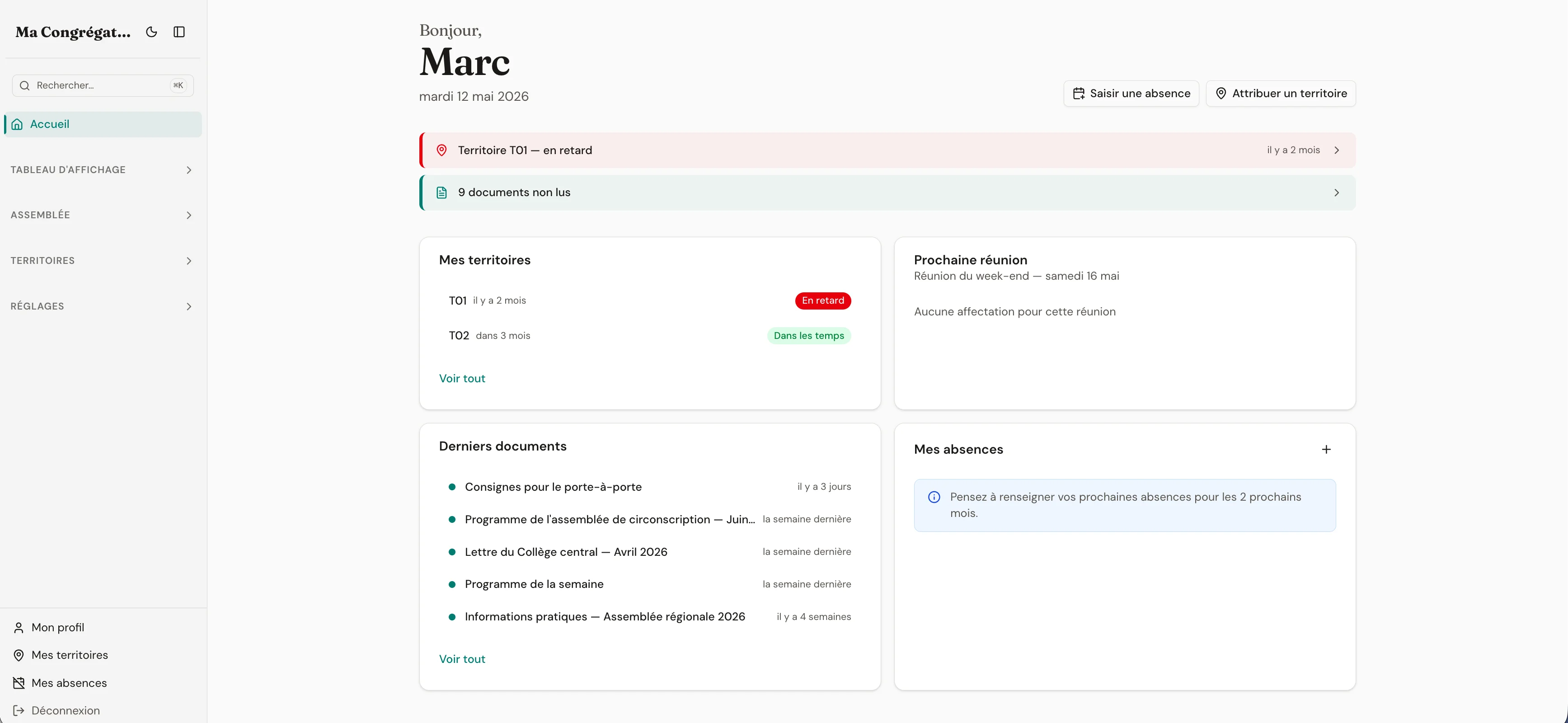
Your assigned territory is there — status: due soon. Your next speaking part: in 12 days. One unread document on the information board. You didn’t have to navigate anywhere. You’re not flooded with information meant for the elders.
Each member sees their own view. Territories, assignments, documents, absences — all in one place. And because they subscribed their phone calendar to a private iCal link from their profile, the same assignments show up in Apple Calendar, Google Calendar, or Outlook without ever opening Unitae.
- Personalized dashboard — territory status, upcoming assignments, unread documents
- Digital information board — branch letters, schedules, announcements with read tracking
- Personal iCal feed — assignments and days off sync to the calendar app you already use
Ready to see it for yourself?
Start your 14-day free trial — no credit card. Every feature included from day one.