Log in. See exactly what matters to you. Nothing else.
Your territory, your next part, the document you haven't read yet, the absence you should plan. One screen. No menu spelunking.
What every member loses to the old setup.
Information sprawl
The territory file is in a brother's laptop. The schedule was emailed last week. The letter is somewhere in WhatsApp. To answer one question, you ask three people.
Most of it isn't yours
When information does reach you, it reaches everyone — most of it meant for the elders or the secretary. You scroll past nine items to find the one that's actually for you.
Your own absences fall through
You meant to tell someone you'd be away that week. You didn't. The schedule was published. The assignment came anyway.
Every member spends time on what should already be in front of them.
One screen. Yours. The urgent strip only shows up when there's something to do.
Open Unitae and the dashboard greets you by your first name. Your assigned territory with its status (on time, due soon, overdue). Your next meeting with the parts you owe. The two unread documents on the board. Your next absence — or a quiet nudge if none is planned.
The urgent strip only appears when there's something to act on this week. When everything's fine, it disappears. No anxiety theatre. And the same data flows into your phone calendar through your personal iCal feed, so the assignments are already where you check the time.
- Urgent strip surfaces overdue territories, day-off conflicts, and imminent assignments — only when there's something to do
- Assigned territories with color-coded status and one-click PDF download
- Latest board documents with per-member unread indicators
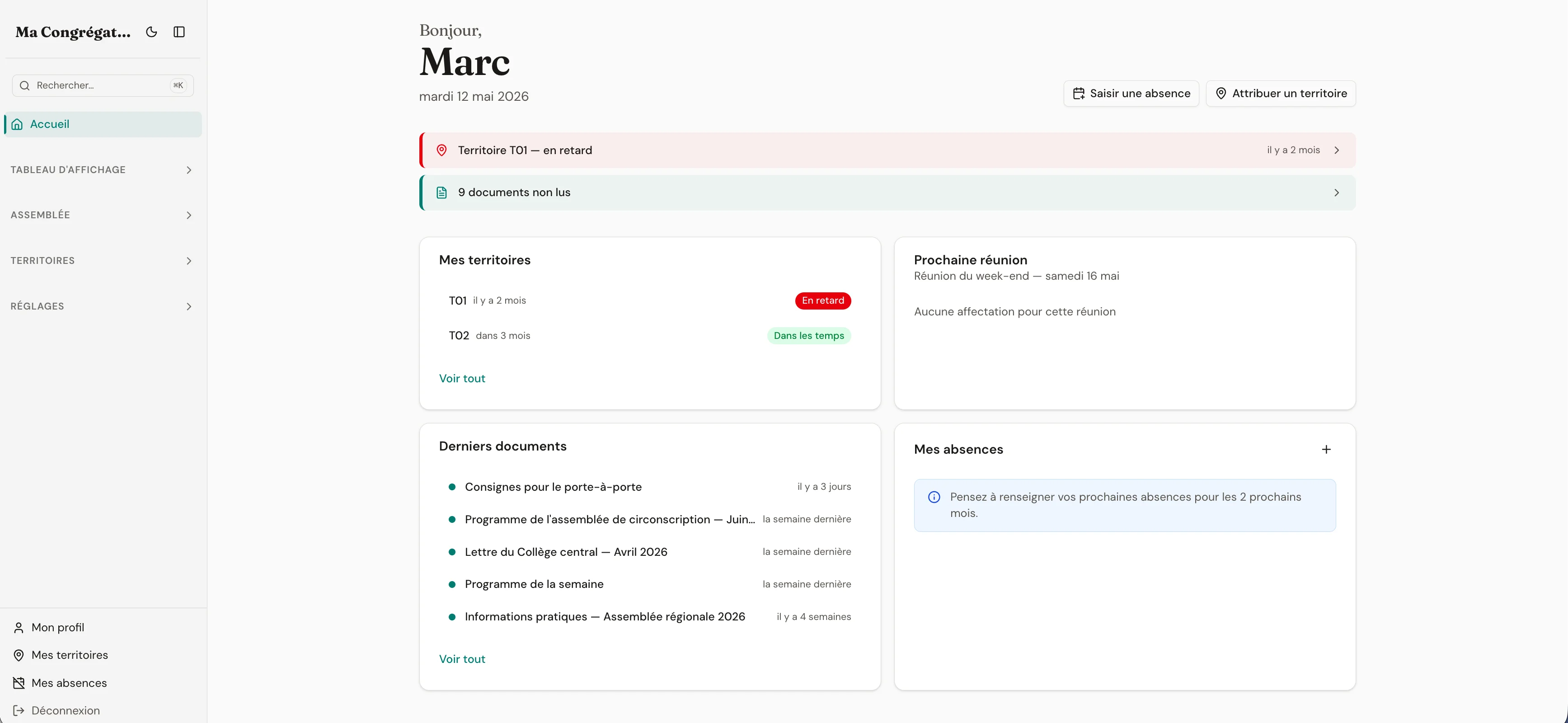
Everything the dashboard surfaces
- Urgent strip surfacing overdue territories, day-off conflicts, and imminent assignments — only when there’s something to act on
- Assigned territories with color-coded status (on time, due soon, overdue) and a one-click PDF download
- Next meeting with your highlighted parts and service roles, plus the assignments you owe at that event
- Latest documents from the information board with per-member unread indicators
- Admin onboarding checklist for new congregations — disappears once your space is set up
Urgent strip
The strip that shows up only when there’s something to do.
Six priority types, only the top three displayed. An imminent part assignment within three days. An overdue territory. A day-off conflict on the next meeting. A due-soon territory. Unread documents. When everything’s fine, the strip is hidden entirely. No anxiety theatre.
Urgent strip (when there’s something to do)
Territory T-12 — return is overdue
Due 3 days ago
You have a part at the midweek meeting
Tomorrow · Spiritual gems
2 unread documents on the board
Posted 4 days ago
When everything’s fine, the strip is hidden entirely.
Personal widgets
Five cards. All yours. Loaded independently.
My territories with color-coded status. Next meeting with your highlighted parts. Latest documents with unread indicators. My absences. The admin onboarding checklist if your space is brand-new. Each card fetches its own data — a hiccup in one doesn’t take down the others.
Five cards. Each loads its own data.
- 01My territories — color-coded status
- 02Next meeting — my parts and services
- 03Latest board documents — unread indicators
- 04My absences — upcoming, with a nudge if none planned
- 05Admin onboarding checklist (new spaces only)
If one card fails to load, only that card shows a warning — the others keep working.
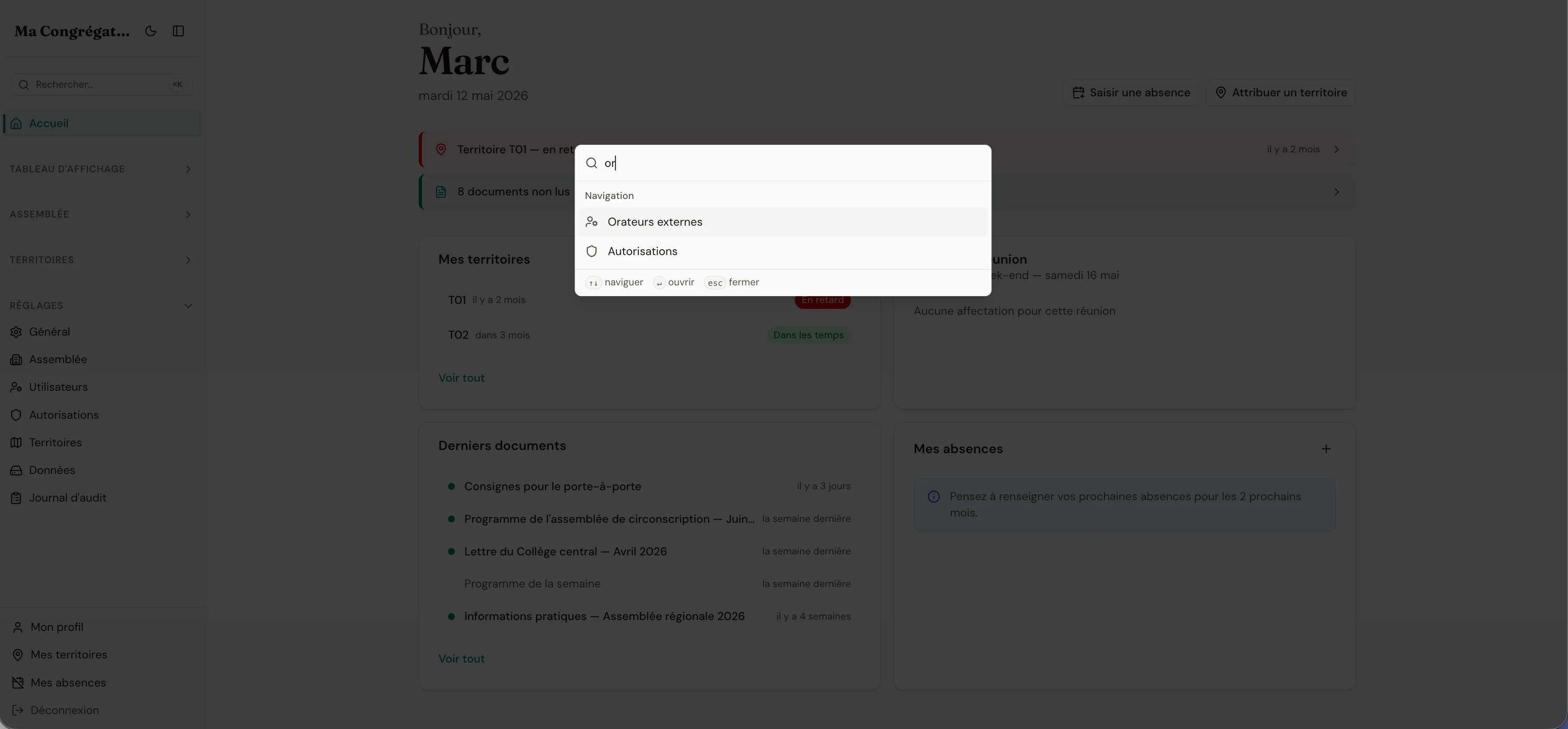
Command palette
Jump anywhere. Without leaving the keyboard.
Press ⌘K from any screen. A search field opens. Type a territory number, a publisher name, a board section — and you're there. Power users do their week in three minutes; everyone else can ignore it entirely.
Yours alone, by design
You can never see another member's dashboard. The personal calendar feed link contains a long random token, is read-only, and can be regenerated or revoked from your profile at any time. Token activity is recorded in the audit log so an administrator could trace it if needed.
How long do you spend hunting for your own information?
Open the app. See what's yours. Close it.
14 days free. No credit card. No commitment.
14-day free trial · no credit card required