Your territories, without the Sunday afternoon spent in Excel.
A living address database, map-driven editing, automatic S-13, and PDF cards every publisher can read at the door.
What the spreadsheet keeps costing you.
Cards drift out of date
Addresses change, buildings appear, doors close. The card in the binder no longer matches the street. Publishers find out at the door.
No memory of who worked what
When a publisher returns a card, the file gets a tick and a date. Six months later, nobody can recover the history that mattered: who walked where, when, and what they found.
S-13 night before the visit
When the circuit overseer is on the way, you copy numbers into a template by hand. One late evening every six months — time you'd rather spend in the ministry or with family.
Two to three hours every month, plus the S-13 night. Multiplied by ten years.
Three territories to assign. Ninety seconds.
Open Unitae and go to 'Assign a territory'. Only available territories are shown. A publisher wants one near their home? Filter by postal code. Another wants a specific street? Search by address.
You select the territory, pick the publisher, and generate a PDF card with the embedded map. The publisher sees it on their dashboard instantly. Three assignments before the meeting starts.
- Filter the list by status, type, or postal code, then assign the next territory in one click
- PDF territory cards generated in one click with optional map page
- S-13 report compiled automatically from your live data — no manual tallying
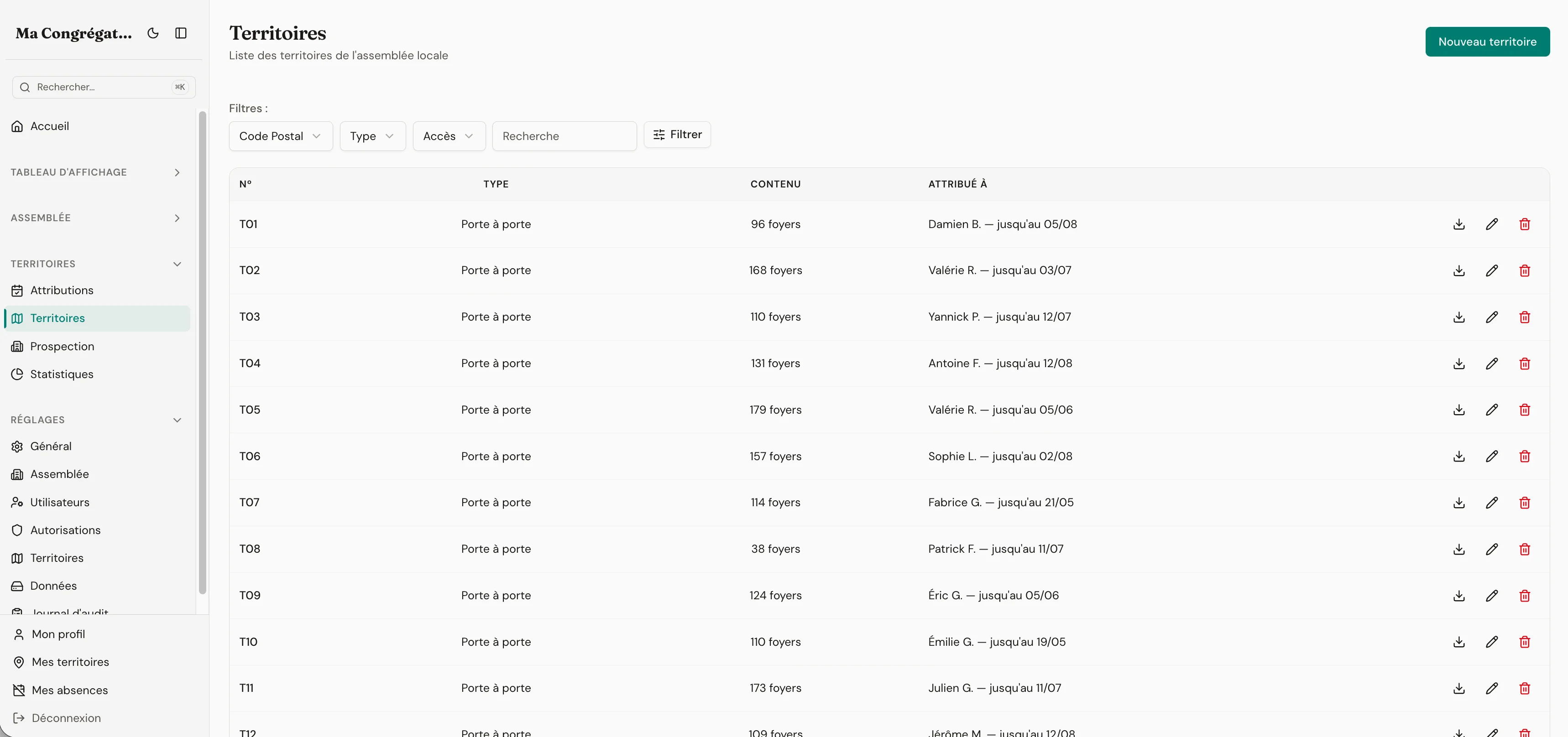
Everything the module ships with
- Door-to-door, universities, businesses, telephone, hotels — every type your assembly actually covers
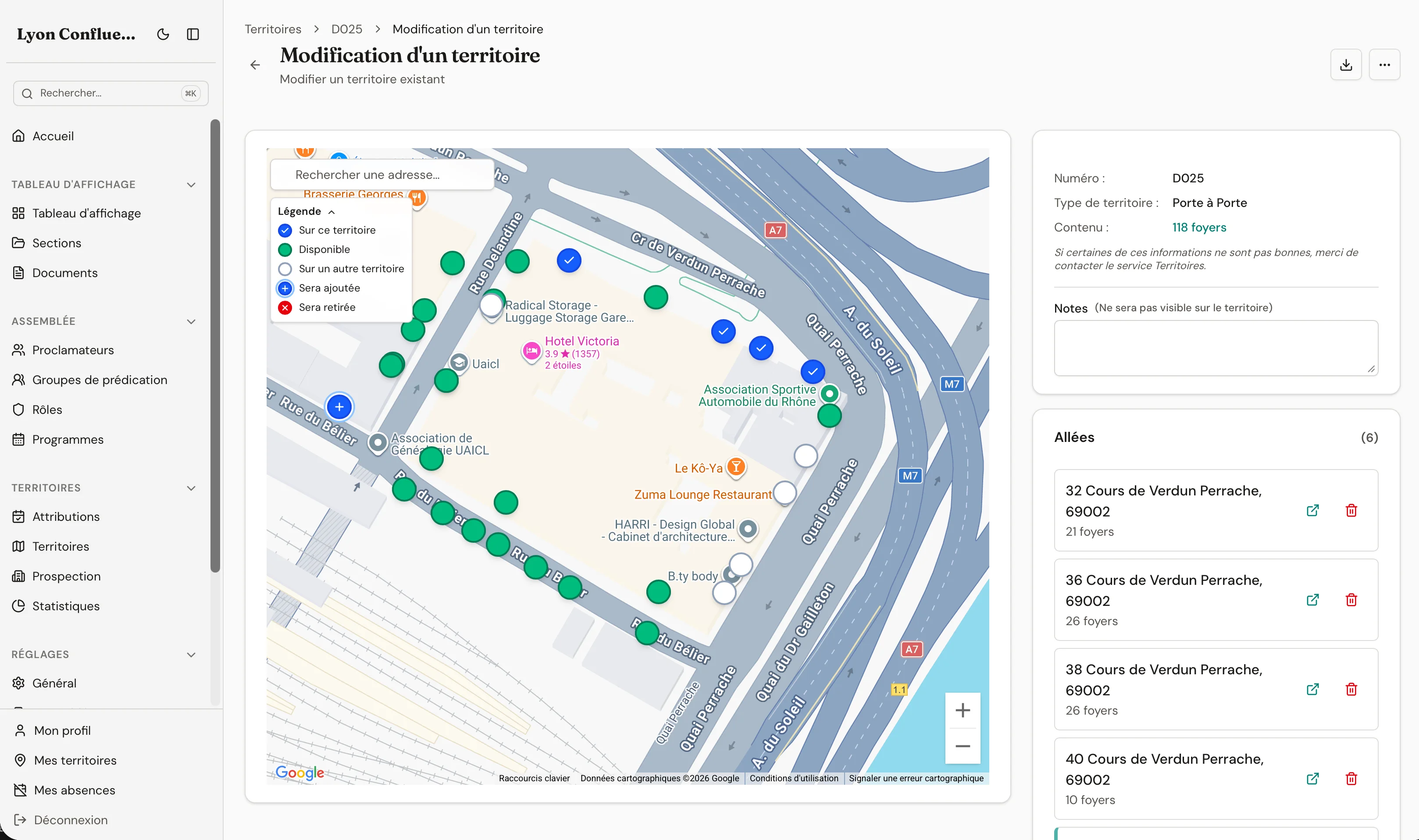
- Map-driven editor: click markers to add, remove, or reassign entrances across territories — every cross-territory move recorded in the audit log
- Carte de l’assemblée: draw your preaching territory and named, colored zones; they print on every territory card so publishers always know where they stand
- Automatic sync with the French National Address Database (BANO) — new buildings appear without anyone typing them
- Building prospection with intercoms, keypads, household counts, businesses, hotels, universities — the detail publishers actually need at the door
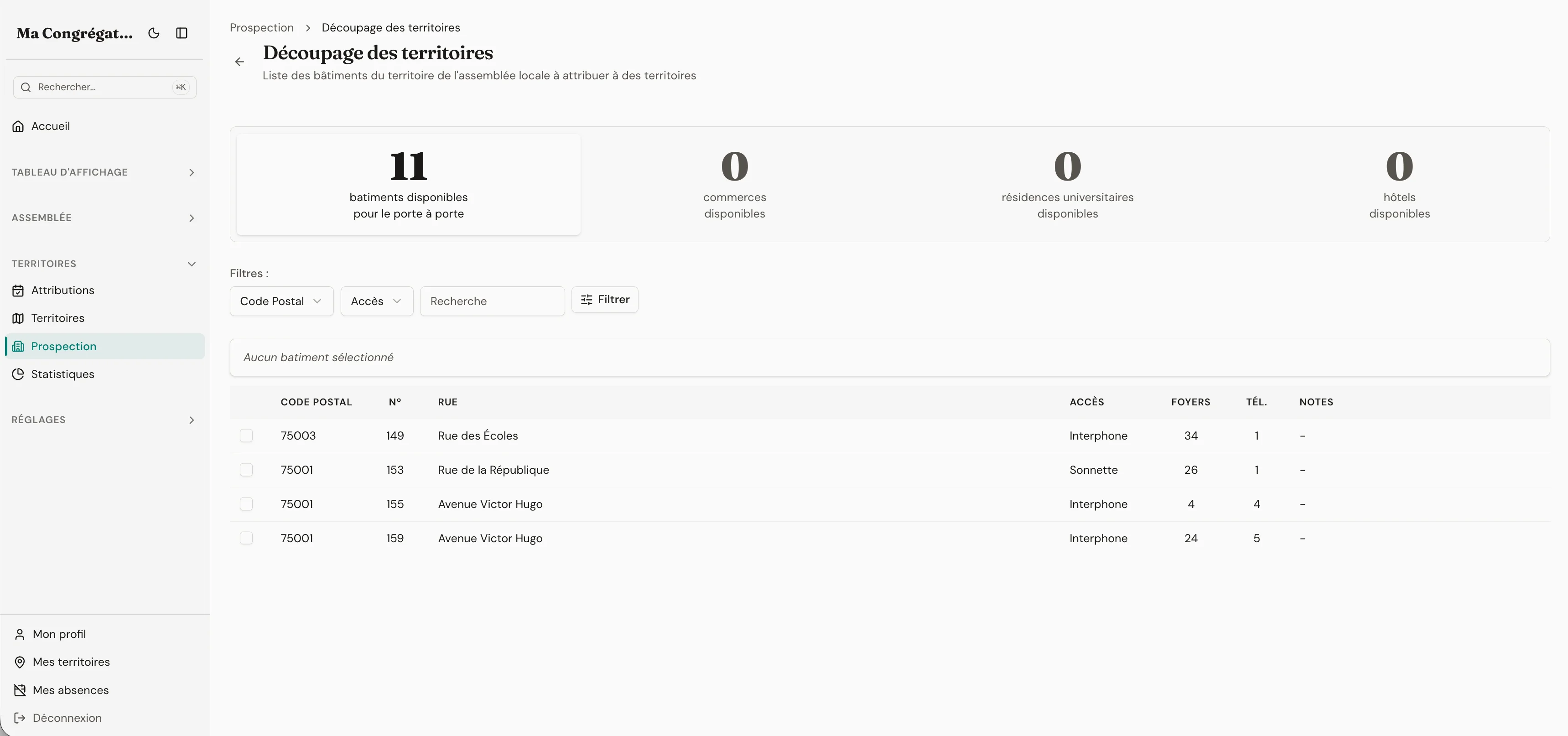
- Split tool: turn your prospected buildings into ready-to-assign territory cards, by category
- Attributions with checkout, return, and color-coded status (on time, due soon, overdue) — visible everywhere across the app
- Official S-13 in one click, PDF cards with optional map page, CSV export, and coverage statistics by theocratic year (September–August)
- Unified search across every list — publisher names, territory numbers, addresses, postal codes, neighbourhoods, accent-insensitive; type an address and results rank by distance
Construction
Pick the buildings. Then draw the line.
A territory has two screens, one per question. The composer answers what's inside — tick the buildings, count the doors, mark the do-not-calls. The map editor answers where it ends — drag the boundary until the card feels right.
Pick the buildings
Draw the boundary
Prospecting
Prospection is its own workflow. Never another spreadsheet.
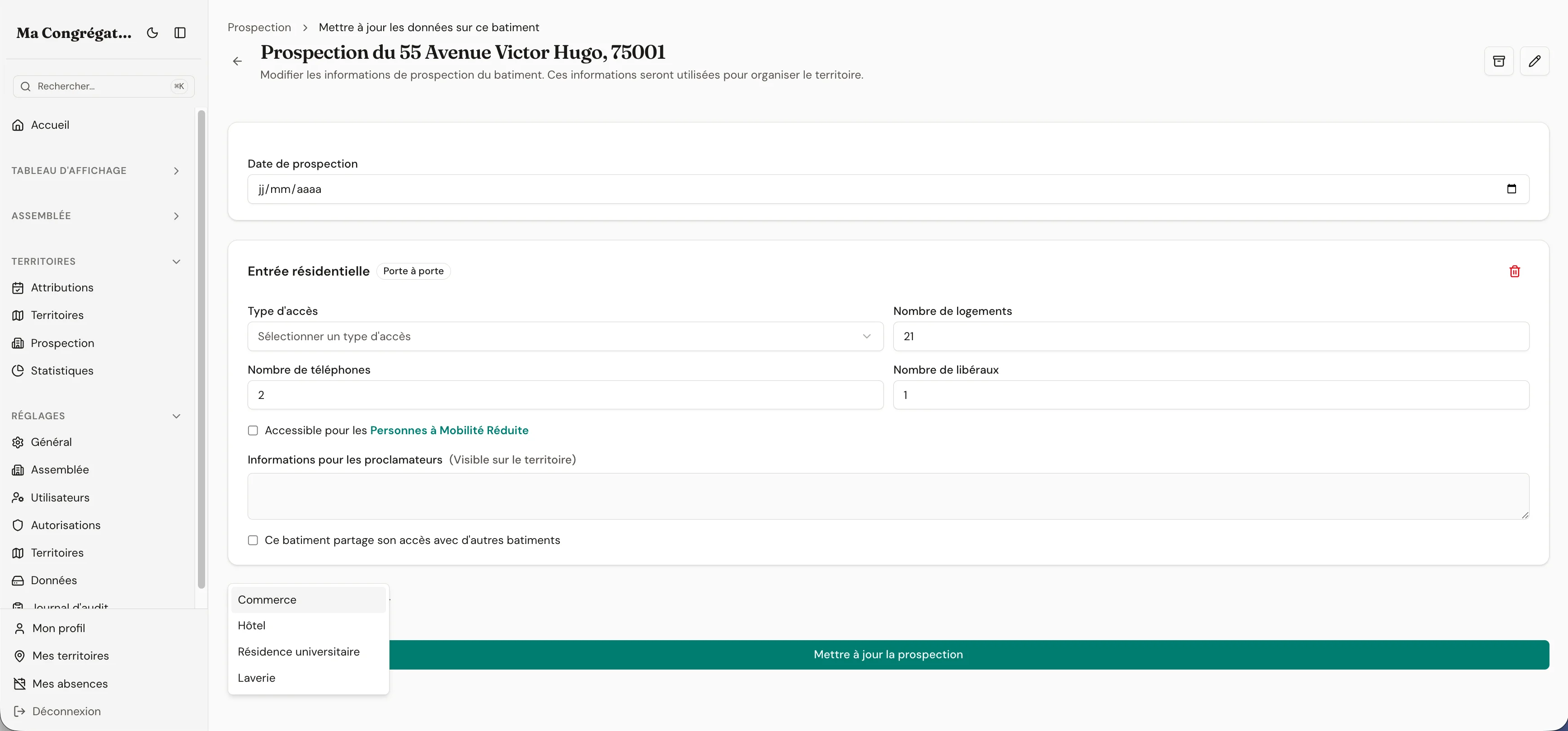
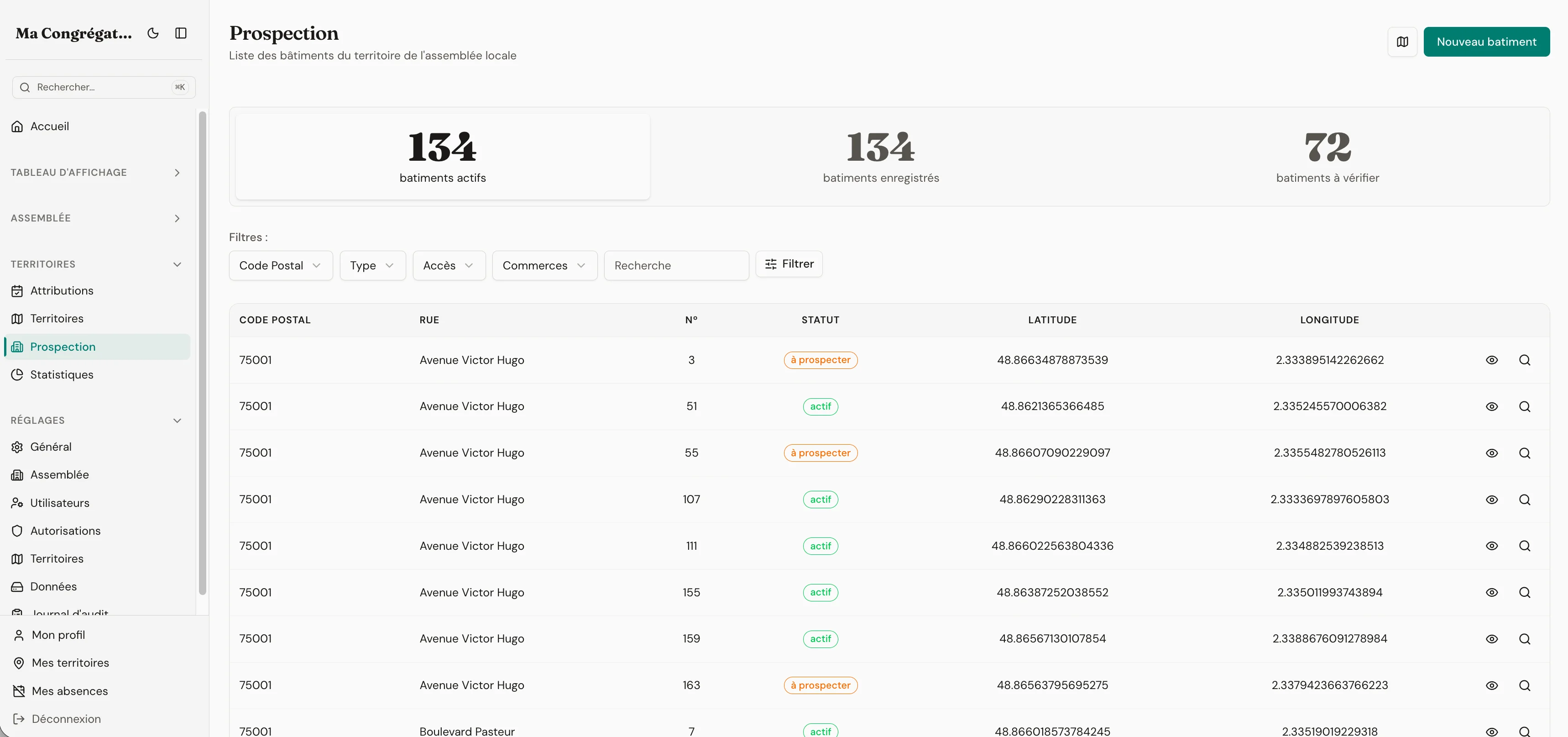
Prospecting isn’t house-to-house — it has its own rhythm of categorised places, repeat visits, and notes on who spoke to whom. Excel collapses under that within a year. Unitae links three screens — categories you define, the building view that carries every detail, and the field list publishers actually use at the door. Publishers in the field see only what they need; the elder configuring categories sees the whole structure.
- Categorise shops, schools, public buildings, and do-not-call addresses
- Track repeat visits per address, per floor, per door
- The field list shows only what’s actionable today
- Notes survive when publishers move groups
The categories
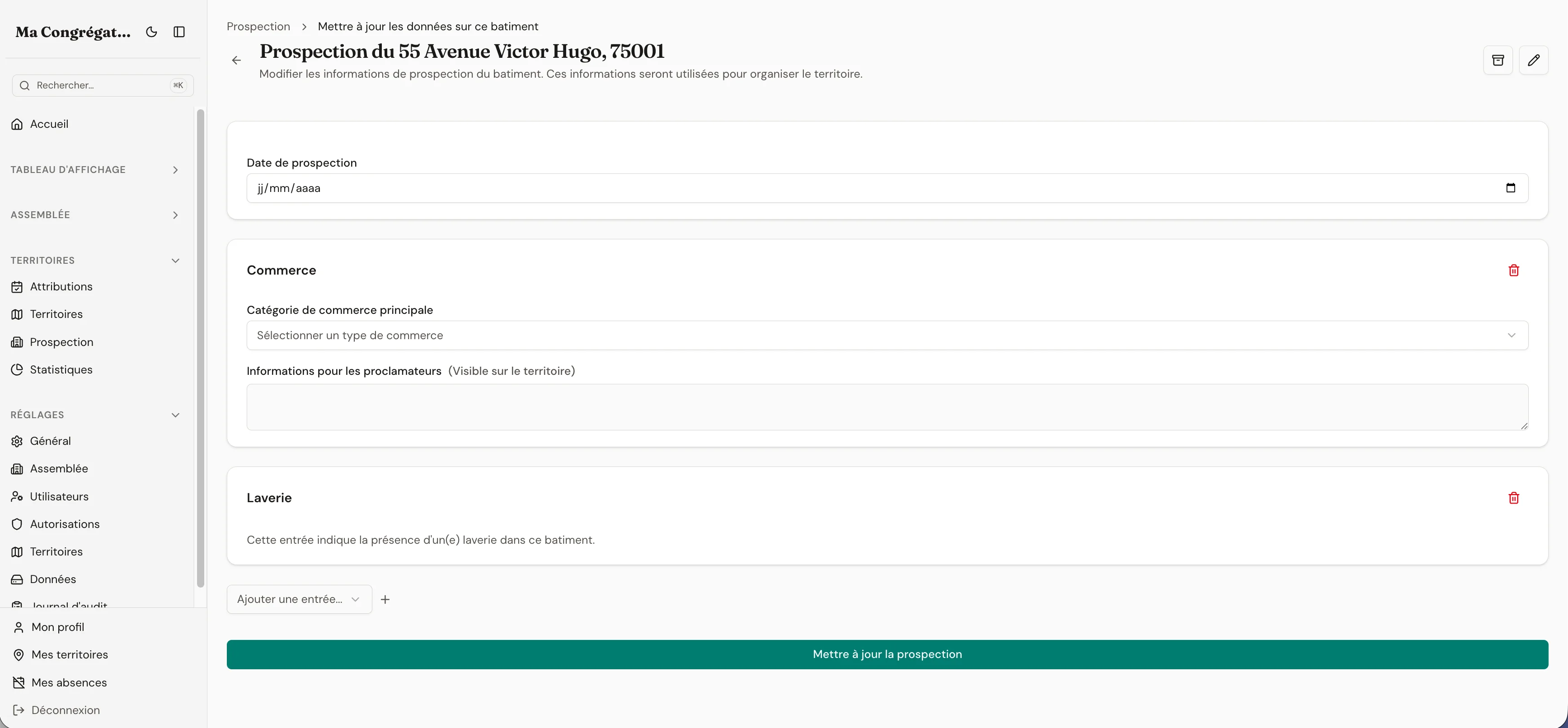
The building
The field list
Attribution
Who has it. Since when. When it comes back.
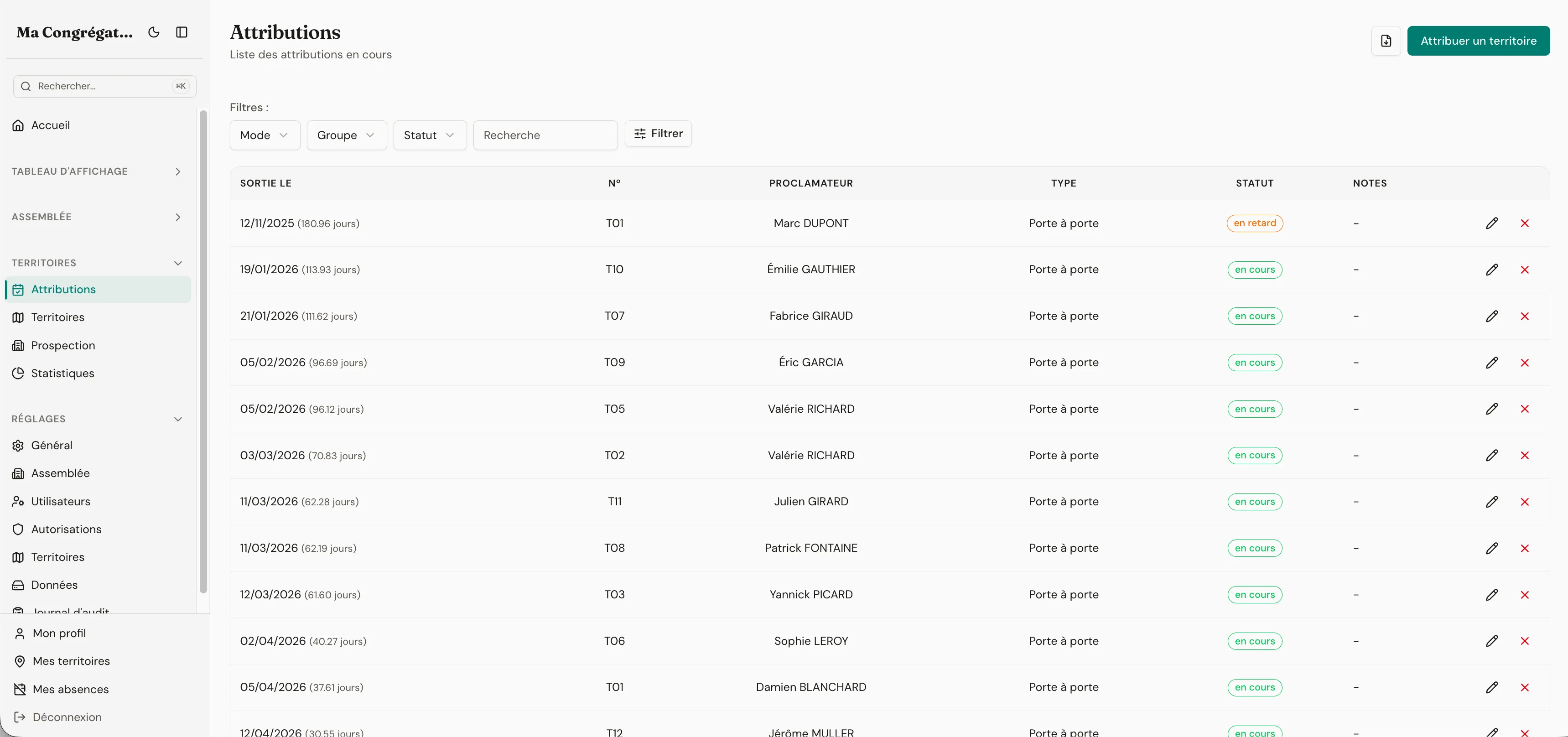
Every territory has a current holder, a past, and a date it's due back. The attribution list shows all three at a glance, and overdue rows turn red on their own. The dashboard's urgent strip reads from this list — nobody needs to remember to check.
- Current holder and due-back date on every territory
- Full attribution history — who had it, when, for how long
- Overdue rows surface in the dashboard urgent strip automatically
- The S-13 generates from the attribution log, not a copy of it
Coverage and S-13
All the coverage numbers, ready for the circuit overseer.
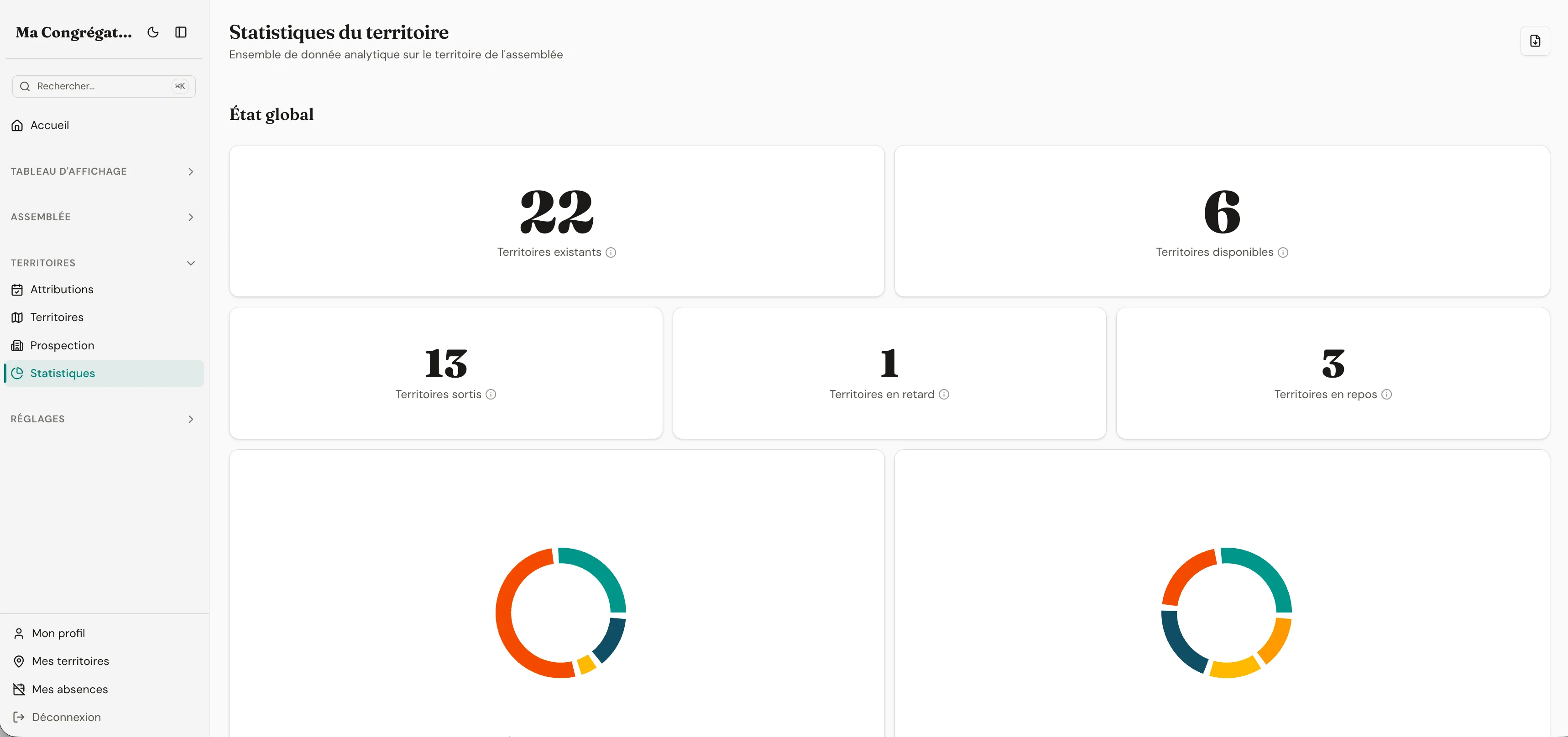
Assignment frequency, overdue rate, rest-period utilisation, monthly evolution — all by theocratic year (September–August). The S-13 export pulls live from the same data. No more recopying numbers into a template the night before the visit.
- Coverage metrics: which territories are assigned, which are available
- Overdue rate and rest-period utilisation at a glance
- Monthly evolution and theocratic-year totals
- S-13 PDF, PDF territory cards with map page, CSV — all live from the same data
Full history so any territory can change hands without losing context
When you reassign an address from one territory to another, the change is logged with the actor, the time, and the source and target territories. Useful when a publisher asks why a building moved off their card — or when a new territory servant takes over and needs the full history.
The next S-13 is closer than you think.
Get back the time you've been spending on the territory file.
14 days free. No credit card. No commitment.
14-day free trial · no credit card required