No more calling five brothers to find out who's available Thursday.
Templates for every meeting, rotation history at the moment of choice, conflict detection with days off, and a personal calendar feed every member can subscribe to.
Where the puzzle pieces stop fitting.
Availability is a phone call
Before assigning a part, you call. Or check a WhatsApp thread. Or check a paper list with last month's leave on it. Then call anyway, because you're not sure.
Rotation drifts toward the same names
Without a glanceable history, the same three brothers cover most of the prayers. Nobody noticed until the circuit overseer asked at the next visit.
Conflicts surface at the wrong moment
A member declares a new absence after the schedule is published. The conflict only appears when they message on Tuesday saying 'I won't be there.'
Thirty to sixty minutes per meeting cycle, on top of the meeting itself.
Click a part. Their rotation, availability and load appear instantly.
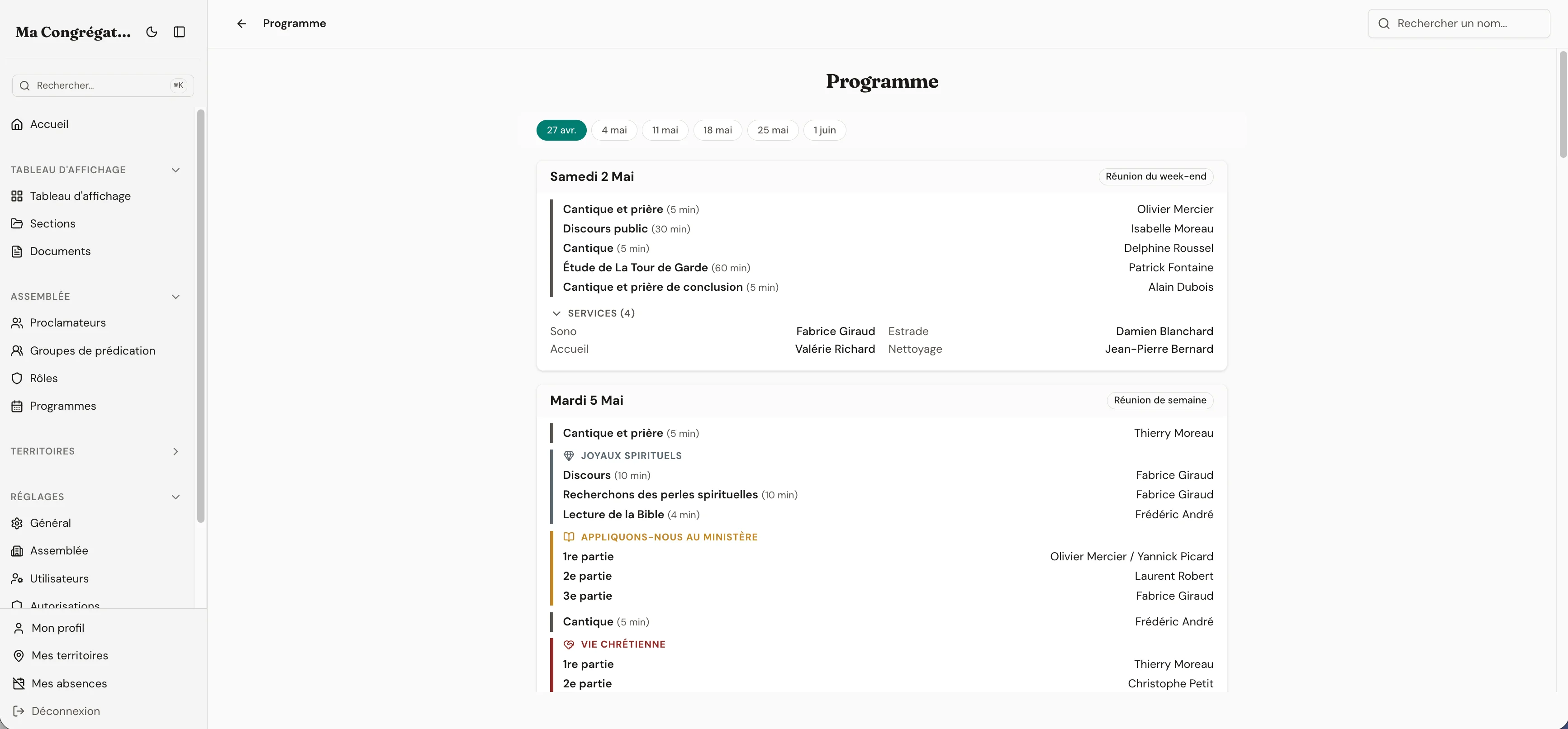
The programme template is already there. You click a part to assign someone — and that brother's three-month rotation history, his availability for that date, and any other part he already has at the same meeting all appear at the moment of choice.
You make the decision, not the software. But every piece of information you needed is in front of you. Conflicts with days off block the assignment before you save. If a member declares an absence later, every affected event is flagged with a warning so nothing slips through.
- Rotation history, availability and existing assignments shown at the moment you pick a brother
- Days-off conflicts blocked at assignment, flagged retroactively when a member declares a new absence
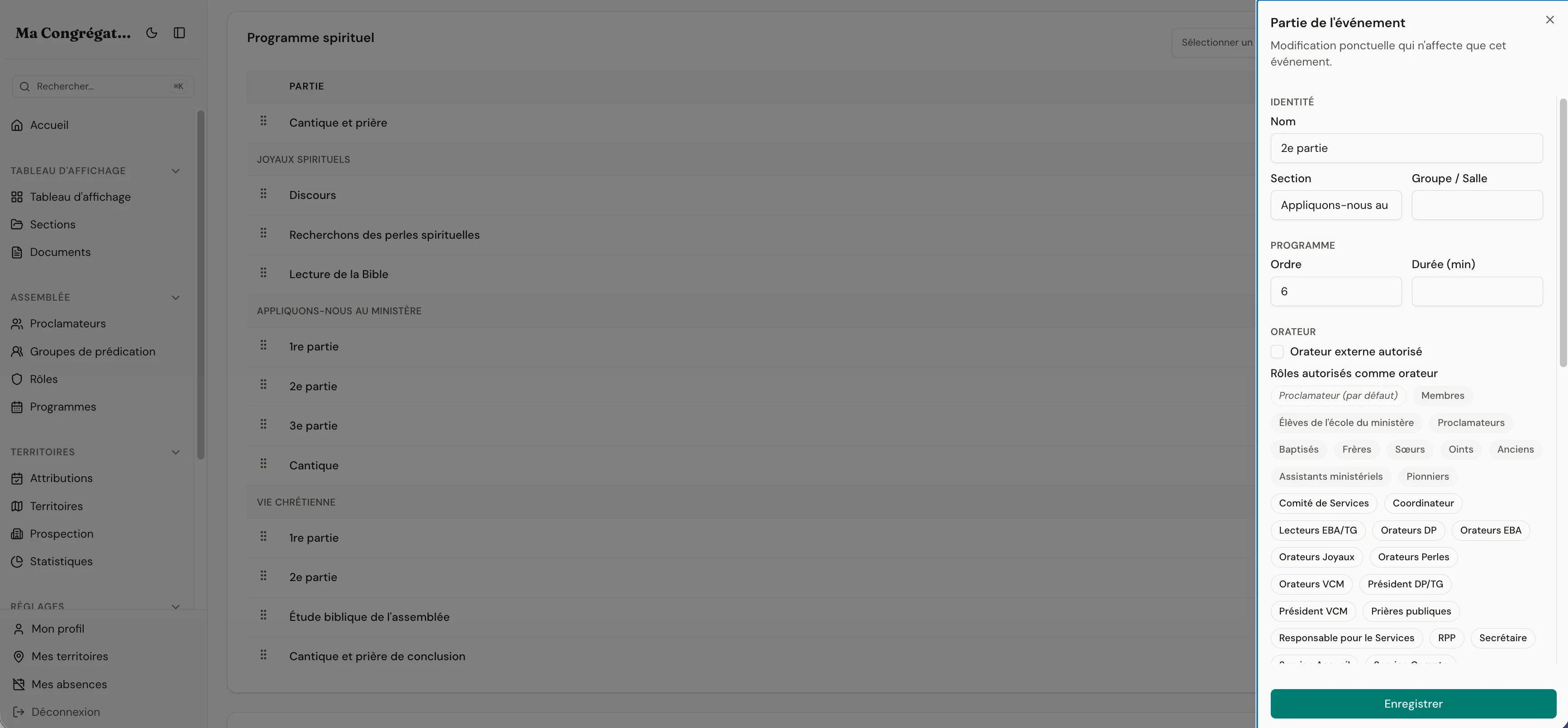
- Role-gated parts (‘only Elders for the public talk’, ‘only baptized for the reader’) — built-in or custom roles
Everything the module ships with
- Programme templates: midweek, weekend, memorial — plus the ones you define for your assembly
- Parallel parts (tracks) for simultaneous rooms — the main hall while a second classroom runs next door
- Smart assignments: rotation history, availability, and current-event load shown at the moment you pick a brother
- Role-gated parts and services: “only Elders for the public talk”, “only baptized publishers for the platform reader” — built-in or custom roles
- Automatic conflict detection with days off — blocked at assignment, flagged retroactively when a member declares a new absence
- External speakers registry, separate from publishers — pick visiting speakers, archive them when no longer needed
- Personal calendar feed: every member subscribes their Apple Calendar, Google Calendar or Outlook to their own assignments and absences
- Per-template delegation, customizable event kinds with colors, PDF export filtered by template and date range
- Draft-and-released workflow: build a schedule privately, publish it when ready — drafts stay off the board, calendar feeds, and dashboards until you release
The moment of choice
Three months of rotation history. One screen.
Click a part. Pick a brother. Before you confirm, Unitae loads what you needed but never had in front of you: his last five same-type assignments (so you stop picking the same names without realising), his availability for that date (days off he declared), and anything else he already has at this event (so you don’t overload one person).
- Last 5 same-type assignments shown at the moment of choice
- Availability check against the brother’s declared days off
- Current-event load — same brother, same evening, other parts already given
- Block-on-save when there’s a conflict, no exception
Conflict detection
A conflict you’d never notice without looking for it.
Two ways days-off are caught. Forward: when you try to assign during a declared absence, the save is blocked. Backward: when a member declares a new absence after the schedule is published, every affected event gets a warning badge — so nothing slips through to a Tuesday-night text saying ‘I won’t be there.’
Week of the next midweek meeting
You tried to assign him as a speaker for Wednesday. Unitae blocked the save and flagged the conflict. If the absence had been declared after the assignment, the event would be marked with a warning badge instead.
Personal iCal feed
His phone calendar already has the event.
Every member generates a private iCal link from their profile and pastes it once into whichever calendar app they use. Their speaking parts, service roles, and days off appear and stay in sync — most calendar apps refresh every few hours on their own. The link is read-only, protected by a long random token, and revocable from the profile if it ever leaks. Token activity is recorded in the audit log.
Apple Calendar
Google Calendar
Outlook
Personal iCal link
webcal://your-congregation.unitae.app/me/calendar/a8f3…7c91.ics
Most calendar apps refresh subscribed feeds every few hours, on their own.
Personal calendar feed, revocable at any time
Every member subscribes their Apple, Google, or Outlook calendar to a private iCal link from their profile — their parts, their service roles, their absences. The link is read-only, protected by a long random token, and can be regenerated or revoked from the profile if it ever leaks. Token activity is recorded in the audit log.
Wednesday's meeting is five days away.
Stop chasing brothers on Tuesday night.
14 days free. No credit card. No commitment.
14-day free trial · no credit card required